
Category suggestions
Type "Smith's" and Groceries and Miles Reward Card is waiting as a one-tap suggestion, learned from how you've logged it before. Nothing gets filed without you.
Peony keeps what's safe to spend front and center, keeps everyone in your household on the same page, and takes care of the bills that come around every month. No spreadsheets, no bank logins, no jargon. The essentials are always free.
One subscription covers the whole household. Peony is free to download and use, and Peony Plus lands at around two dollars a month, billed yearly. No ads, no tracking. See what's free
For iPhone and iPad, on the App Store in the US and Canada. Peony keeps budgets in US dollars for now.
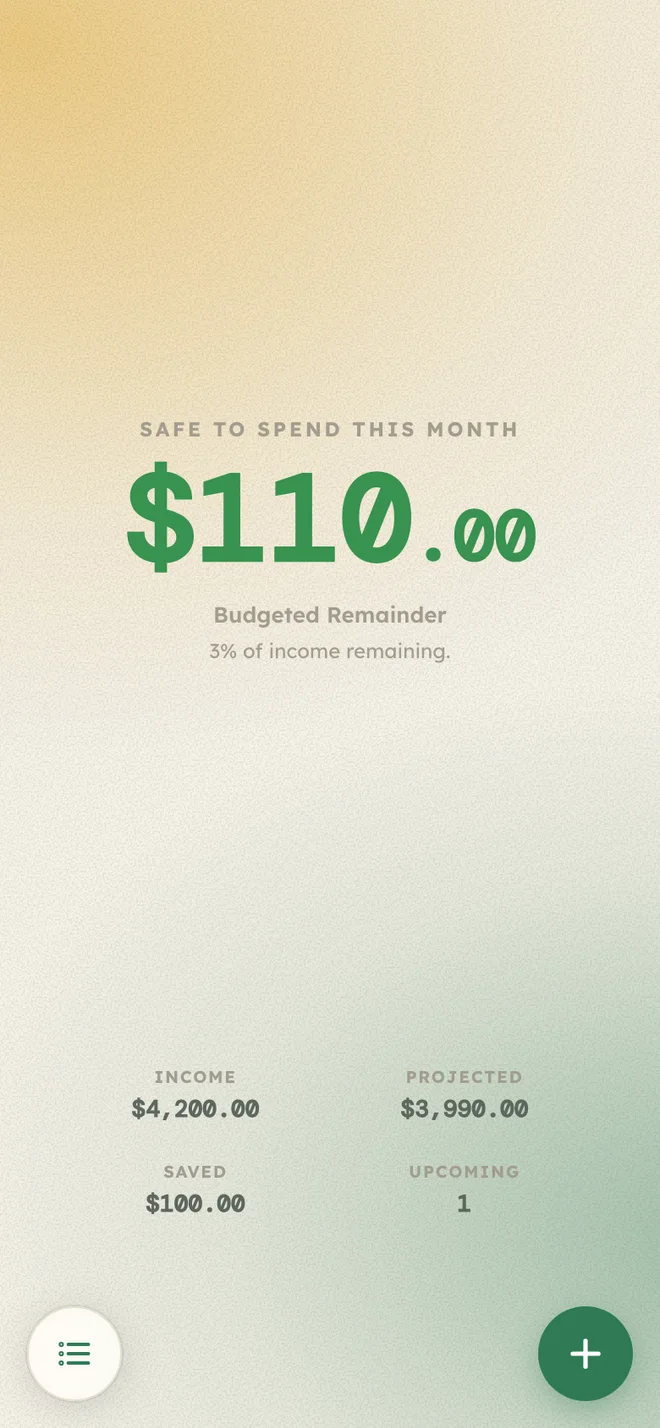
Peony starts with what's coming in this month, sets aside your bills, your savings, and anything still budgeted, and then shows you what's left. It's the first thing you see when you open the app, so you can plan the rest of the month confidently.
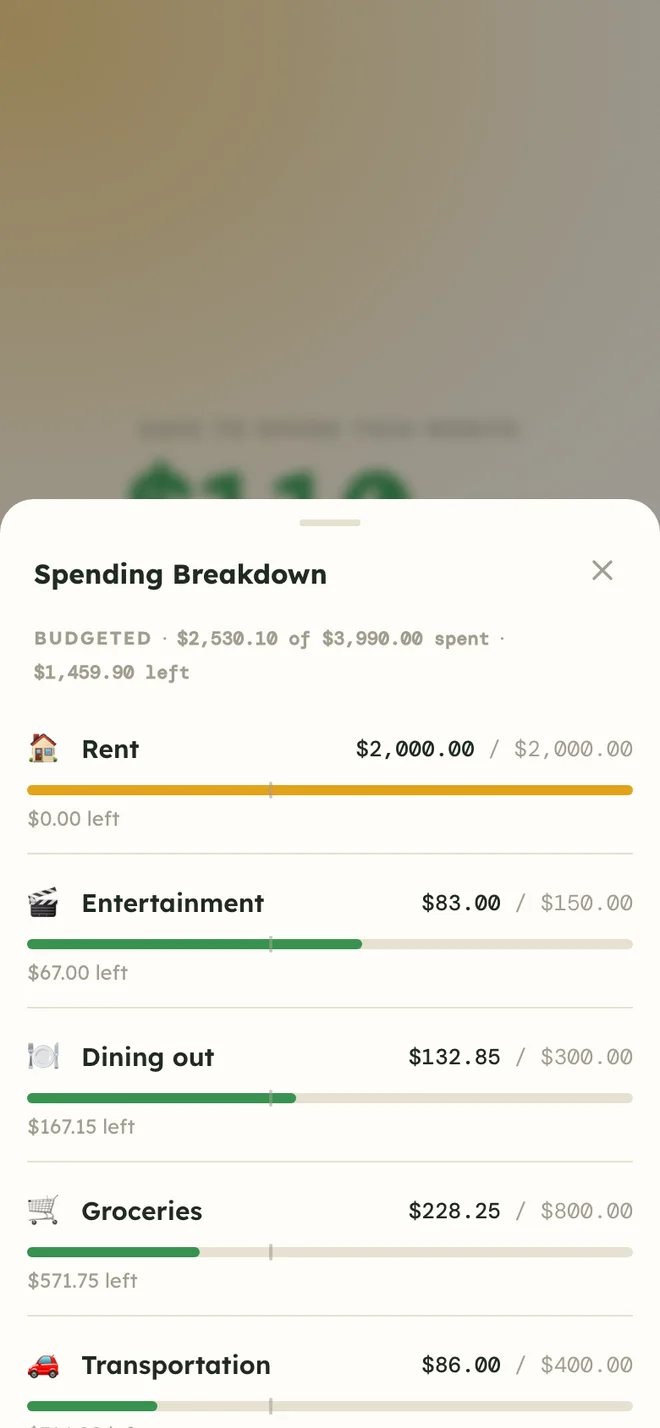
Invite your partner, a roommate, or anyone you manage a budget with. Everyone signs in with their own account and sees the same numbers, and every change shows up on everyone's screen right away, with a little note of who added what.
Household sharing is part of Peony Plus. One subscription covers everyone in the household, so the people you invite never pay. A free household is just you and everything you need to keep your budget on track.
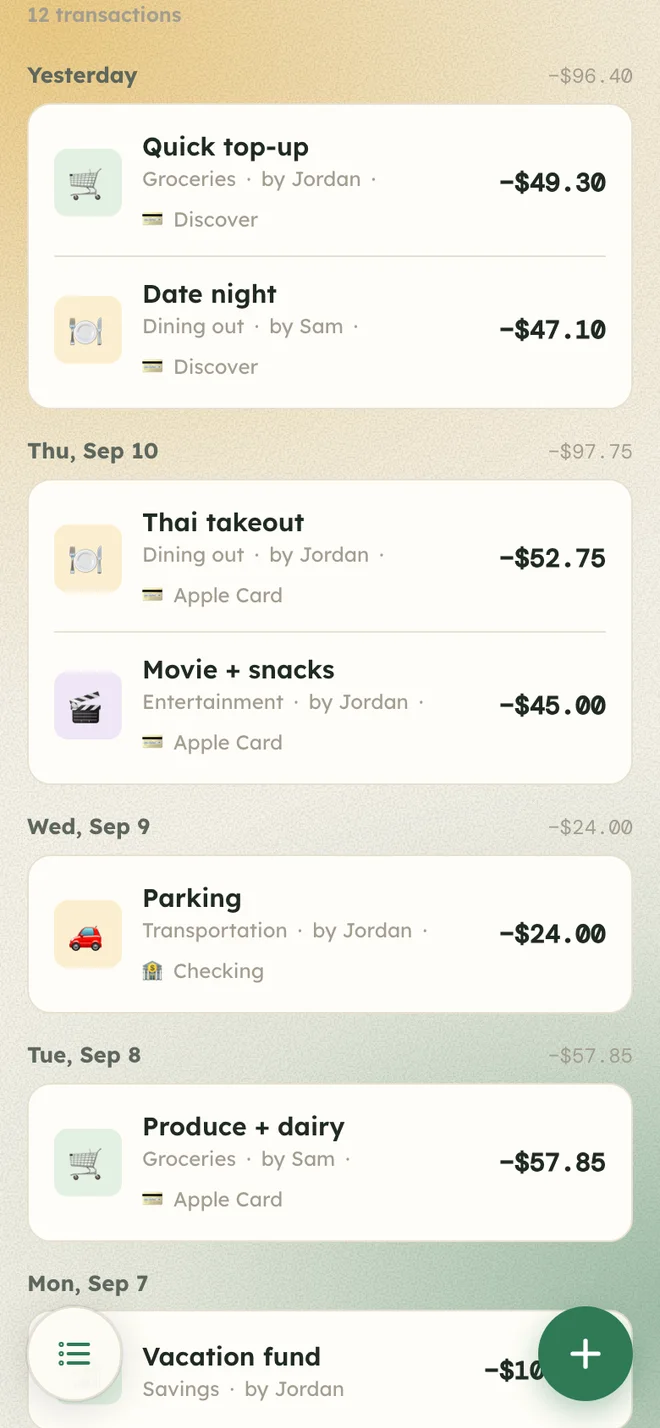
Tell Peony about rent, subscriptions, and payday once. On the right day, every time, Peony will add them for you, so your month is mapped out before it even starts.
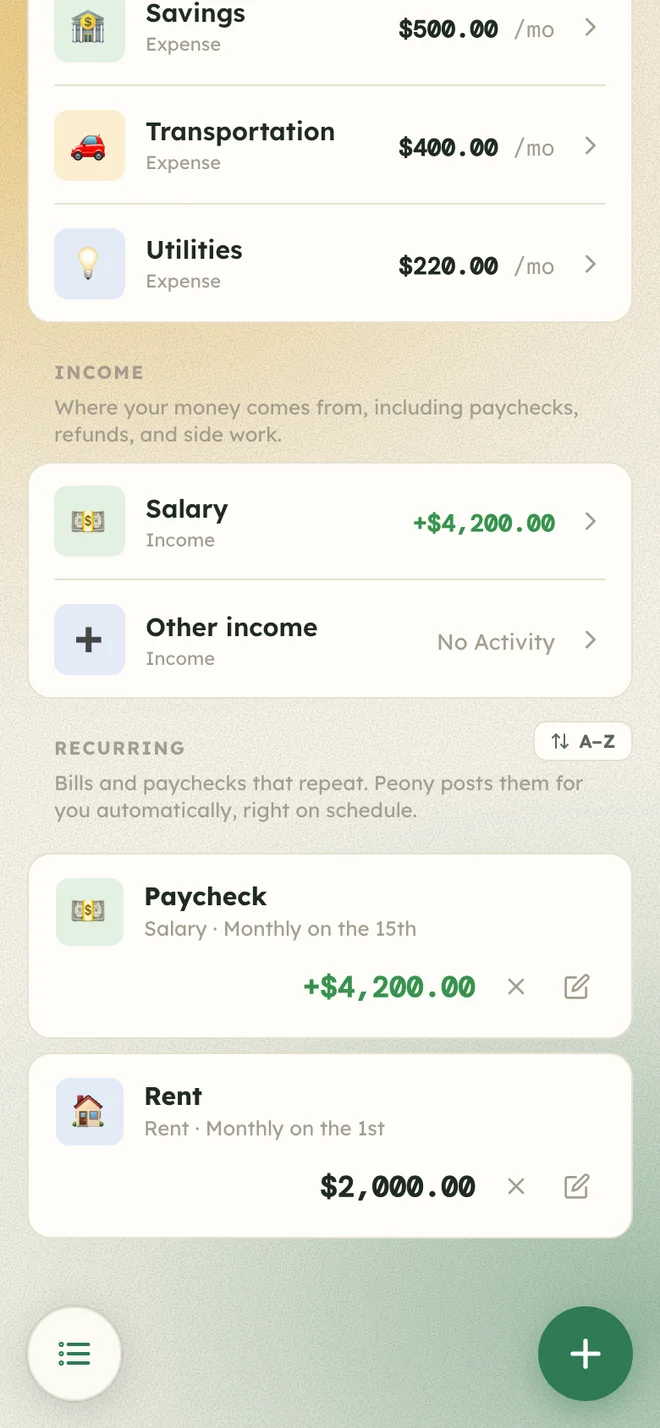
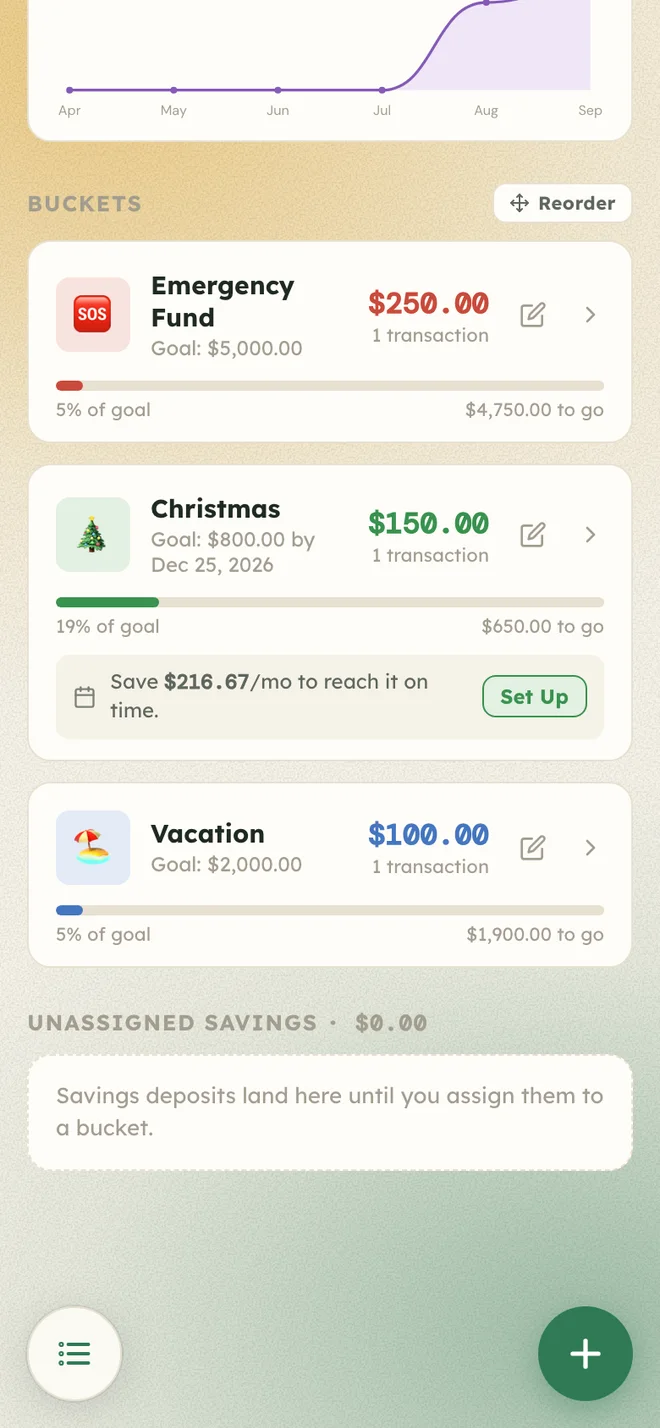
Make a goal for the emergency fund, the holidays, or that event you keep talking about. Move money in or out whenever you like, and Peony shows how close you are - and can recommend a regular savings deposit based on your target date.
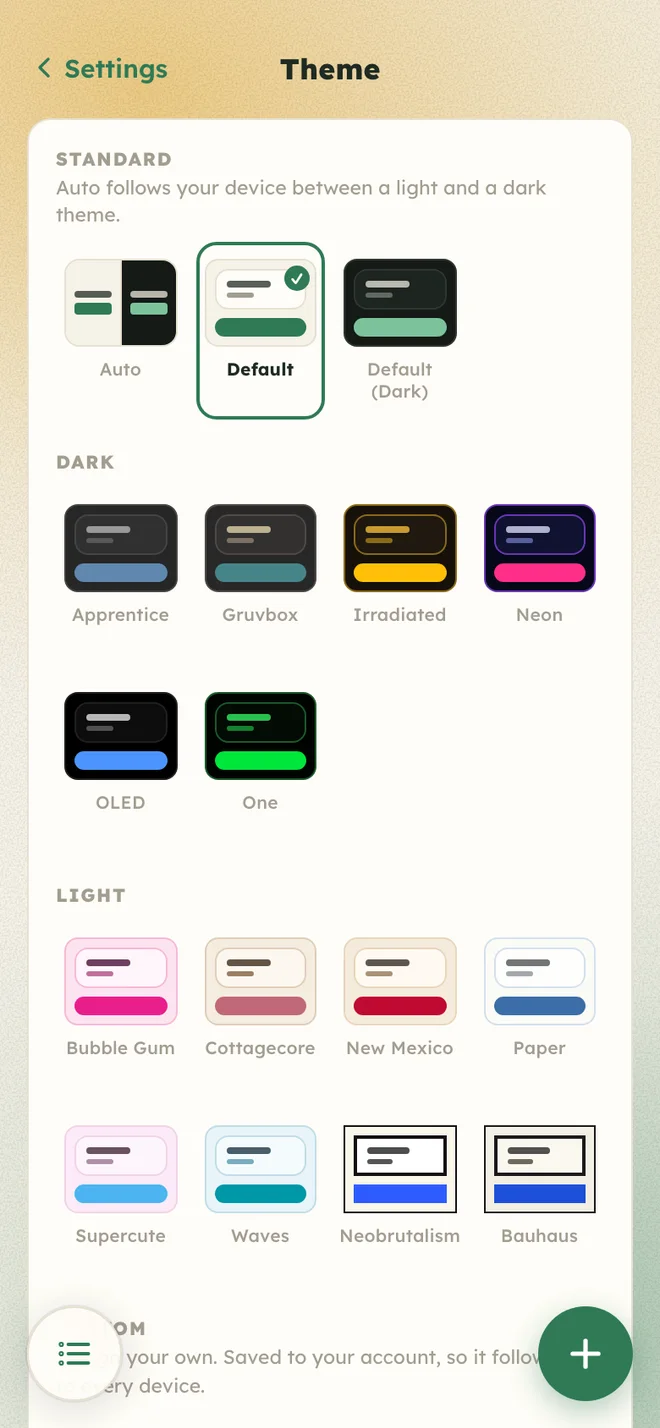
Peony sets the stage with two defaults, and can follow your phone between light and dark. Still not quite right? With Peony Plus, you can choose between 14 others, or design two of your own.
Default, Default (Dark), and Auto are free, soft glow and all. The other themes, custom themes, and effects are part of Peony Plus.
Type "Smith's" and Groceries and Miles Reward Card is waiting as a one-tap suggestion, learned from how you've logged it before. Nothing gets filed without you.
One $120 Target run, three categories. Split it across groceries, household, and the dog, and Peonly will make sure the totals add up.
Tag purchases with the card or account they came from, and see how much went through each one later on.
Safe to spend, upcoming bills, and where the money went, right on your Home Screen, plus today's number on your Lock Screen. Psst: there's a Quick Add button for logging on the go.
Lock Peony behind Face ID, so a borrowed phone stays just a borrowed phone.
A heads-up the day a bill lands, a Sunday summary of what's still safe to spend, and an optional nudge when someone in your household adds something.
Peony tells you how the month is going in plain English, like "A quiet month. You've spent $1,912.40 so far this month." And Lifetime searches every purchase you've ever logged.
Sign in from any computer at app.peonybudget.com and pick up right where you left off, even if you don't have an iPhone.
Household owners can save a full backup and restore it later, free on every plan. Peony Plus adds a CSV of any month for your spreadsheet, or an export of any filter or search in Lifetime.
Swipe right on a purchase to leave an emoji your household sees. Swipe left to delete it, or pin it to the top of its list. Categories, bills, and goals pin too.
Log a purchase in a parking garage or on a plane. It waits safely on your phone and syncs once you're back online, exactly once.
Payday lands on the 28th? Start next month a few days early, and new spending counts toward the month it's meant for.
Everything that keeps your numbers right is free, forever. Peony Plus is for budgeting together, plus the extras that make Peony feel like yours.
$0, forever
For individuals getting their money sorted.
$24.99 a year, about two dollars a month
Or $3.99 a month. The yearly plan starts with a month free for new subscribers.
Everything in Free, for everyone in your household, and:
Household sharing needs Peony Plus. A free household is just you. When anyone in the household subscribes, everyone in it gets Plus on all their devices, and the people who join never pay.
If Plus ends, nothing you made goes away. Everyone stays in the household, your bills and paychecks keep posting, and your savings and accounts stay put. You just can't add more past the free limits, and Peony goes back to the Auto theme until Plus returns, with your themes saved.
Peony is available in the US and Canada, and budgets are kept in US dollars for now. Prices above are in US dollars; the App Store shows your local price. Peony Plus is sold in the iPhone app and renews automatically until you cancel in Settings > Apple ID > Subscriptions. Terms of Use: Apple's standard license agreement.
Peony is made by one person who'd rather not know what you spent on takeout. Here's the deal, in plain words. The details are in the privacy policy.

Peony is on the App Store now, free to download. One Peony Plus subscription covers your whole household, for $24.99 a year or $3.99 a month. Already have an account? Sign in on the web.